
Our WordPress Development Course
Learn to create stunning, functional websites with WordPress the world’s leading platform. This course covers everything from building custom themes to managing plugins, making it perfect for anyone who wants to become a professional web developer or launch their own website.
Apply Now for Our Ongoing Batch
We have partnered with renowned names in the industry.



Live Classes by Industry Experts
Engage directly with seasoned WordPress developers in real time! Our live interactive sessions allow you to gain valuable insights, explore best practices, and learn directly from professionals with hands on experience.
Your WordPress Toolkit
Learn how to use industry standard tools for WordPress development. From themes to plugins, our curriculum ensures you're equipped to create dynamic websites that stand out.
Lifetime Access to Resources
Access an extensive library of tutorials, templates, and tools even after completing the course. With real-world projects and 10+ case studies, you'll gain practical experience that prepares you for real-world challenges.
Hands On Projects
Apply your skills through practical, real world projects. Build websites from scratch, solve real challenges, and walk away with a portfolio to impress potential clients or employers.
Master Practical Experience
From building dynamic websites to customizing themes and plugins, our course covers everything you need to succeed. Every module equips you with actionable skills and expertise to design, develop, and deploy professional-grade WordPress websites.
Dedicated Mentor Support
Get personalized guidance from experienced WordPress developers. Our mentors provide feedback, solve doubts, and help you troubleshoot, ensuring you're confident in your skills.
Our Program Plugins








WordPress Development Course Module
Learn how to create visually appealing, responsive, and functional websites using WordPress.
You will learn the key differences between WordPress.org and WordPress.com, enabling you to choose the right platform for your needs. The module covers the basics of setting up a WordPress website, including choosing a domain, selecting a hosting provider, and installing WordPress.
- Understand what WordPress is and why it’s the most popular website building platform.
- Learn the differences between WordPress.com and WordPress.org.
- Explore the benefits of open-source software for website development.
You will become familiar with the various menu options such as Pages, Posts, Appearance, and Settings. Each of these menu items plays a crucial role in content management, design, and site configuration. Understanding how to organize your content, manage site wide settings, and create intuitive navigation menus will be key to running a successful WordPress site.
- Familiarize yourself with the WordPress dashboard and its interface.
- Understand the functionalities of key menu items like Pages, Posts, Appearance, Plugins, and Settings.
- Learn how to manage site-wide settings, create menus for navigation, and use widgets to enhance functionality.
- Develop an efficient workflow to manage your website backend with confidence.
A crucial aspect of WordPress development is selecting and customizing the right theme to represent your website’s brand or project goals. This section teaches you how to choose from thousands of themes available in the WordPress theme repository and third-party marketplaces.
- Explore the WordPress theme directory and third-party marketplaces for professional designs.
- Install and activate themes, and understand how they control the appearance of your website.
- Use the WordPress Customizer to make real-time changes to your site’s design, such as color schemes, fonts, and layouts.
- Learn to create and manage child themes to make advanced design and coding changes while keeping the core theme intact.
Content is at the heart of every website, and WordPress makes it easy to manage. You will learn how to create, edit, and publish posts and pages, as well as organize your content with categories and tags for improved user experience and SEO.
- Master the art of creating engaging content using the WordPress Block Editor (Gutenberg).
- Learn to add, edit, and manage posts and pages, and understand the role of each.
- Use categories and tags to organize content effectively for better user experience and SEO.
- Use formatting tools to make your content visually appealing and easy to read.
One of WordPress’s greatest strengths is its vast library of plugins that extend functionality. In this section, you will discover how to enhance your website with plugins that improve performance, security, SEO, and much more. You will learn how to install, activate, and configure plugins to add features such as contact forms, e-commerce functionality, social media integration, and analytics.
- Learn how to install, activate, and manage plugins effectively.
- Discover must have plugins to add features like contact forms, SEO tools, and more.
- Keep your plugins updated and troubleshoot compatibility issues effectively.
Protect your WordPress site from hackers and malicious attacks. Learn how to set up firewalls, secure login credentials, and install security plugins to safeguard your data and user information.
- Understand the importance of SSL certificates for securing your website and building trust with your visitors.
- Safeguard your website from hackers with essential security plugins and practices.
- Set up automated backups to ensure your data is safe at all times.
- Learn to handle WordPress updates without affecting your site’s performance.
- Learn how to optimize images, enable caching, and use content delivery networks (CDNs) to speed up your site.
Understand the basics of SEO and why it’s crucial for driving organic traffic to your website. Learn how to optimize your site’s structure, content, and technical elements to improve its ranking on search engines.
- Learn how to optimize your posts and pages with meta descriptions, title tags, and keyword research.
- Get familiar with popular SEO plugins like Yoast SEO and RankMath.
- Improve your site speed and mobile responsiveness to rank higher on search engines.
Ensure your site is fully functional before going live. Test links, check for broken pages, optimize images, and review SEO settings.
- Learn about hosting migrations and managing multiple websites.
- Test your website for errors, performance, and mobile friendliness before launching
- Learn how to connect your website to Google Analytics for tracking visitor behavior.
- About regular backups, updates, and content refreshes to keep your site performing well.
1 St May
11 Am IST
Join Our Free WordPress Development Demo Class
Want to build your own website but don’t know where to start? Join our free live demo class to learn how easy it is to create a WordPress site from scratch!
- Setting Up Your WordPress Site
- Designing Your First Webpage
- Essential Plugins

Krishna Sethi
Co Founder, Blue Markers
Yes, I need this! Save my seat today.
Career Outcomes
Open the door to endless possibilities with expert WordPress development skills. Here’s what you can achieve
Fast Track Your Career
Master WordPress tools and themes to build stunning websites and secure your place in a high demand industry.
High Paying Roles
Become a Web Developer, WordPress Specialist, or CMS Consultant, earning top dollar in the digital space.
Entrepreneurial Edge
Start your own web development business or freelance for clients worldwide.
Global Opportunities
Work with global brands or take on remote projects, building websites for businesses across industries.
Our alumni work here
Our alumni have gone on to build careers at some of the world’s leading companies.







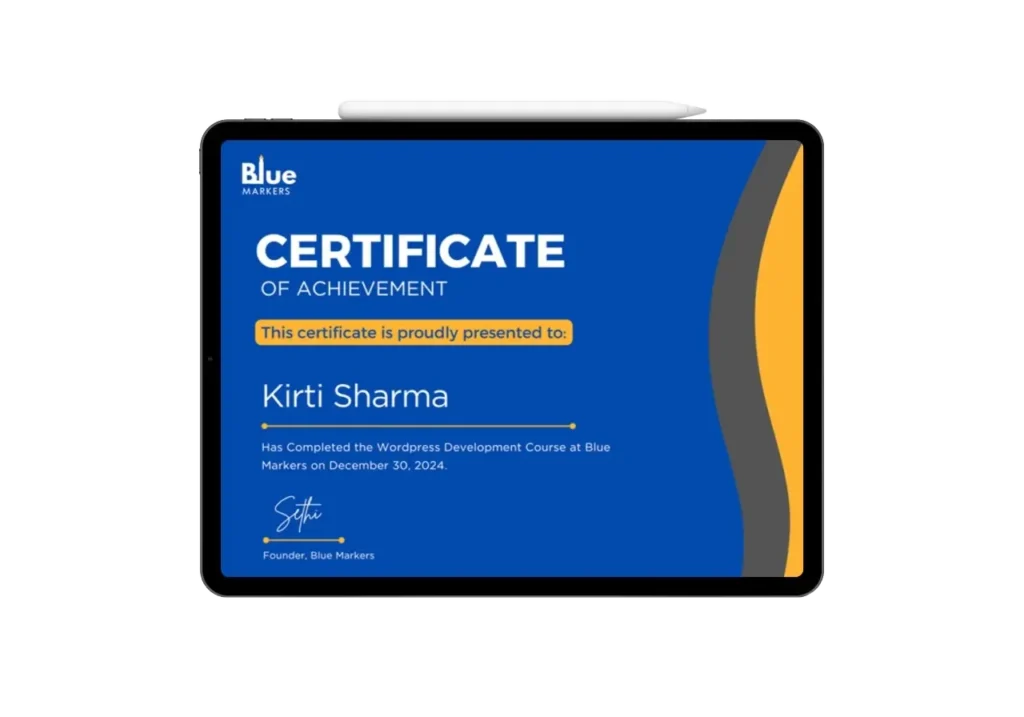
Become a Certified WordPress Developer
Complete our WordPress Development and earn a certificate in WordPress development, recognised globally.
- Boosts your career opportunities
- Can be shared on LinkedIn
- Builds credibility in the web development field
What Our Students Say
Hear from students who’ve taken the course


Advanced Digital Marketing Course FAQs
The course covers building and customizing WordPress websites, theme and plugin development, WordPress SEO, and essential coding skills like HTML, CSS, PHP, and JavaScript.
No prior coding experience is necessary for beginners. However, we offer advanced modules for those who already have basic development knowledge.
Definitely! The course includes modules on integrating and customizing WooCommerce for building fully functional eCommerce websites.
Absolutely! Our course starts with the basics of WordPress and progresses to advanced topics, making it suitable for all skill levels.
Yes, you’ll have access to our support team and a community forum for resolving any questions or challenges.
Yes, all sessions are 100% live, not pre-recorded. Recordings of the live sessions will also be available, so you can review them anytime.
Simply choose the live batch option during enrollment. Our team will guide you through the available schedules to select one that suits your availability.
Yes! You’ll gain in depth knowledge of creating custom themes and plugins tailored to your specific requirements.